

Views: 31
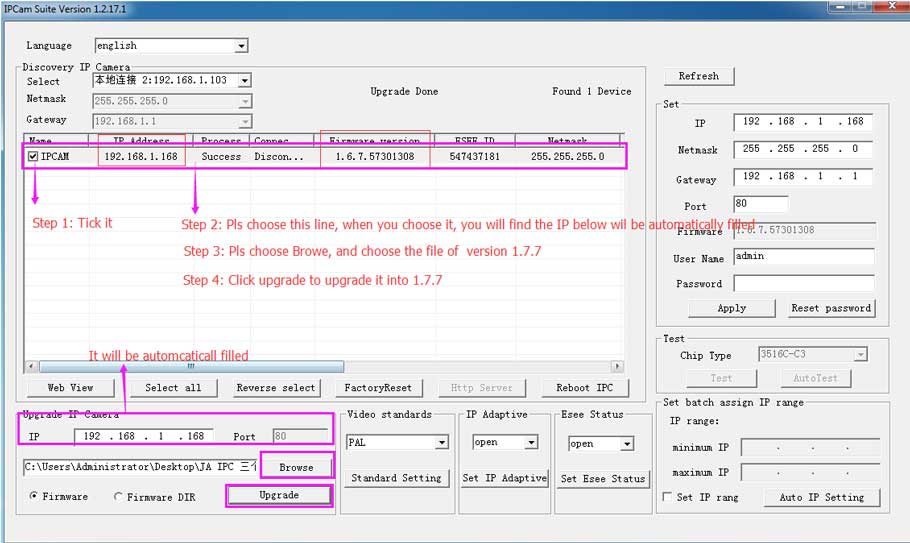
How to Upgrade Your Camera Firmware on a Computer? If you found you can’t repair your camera to your NVR, it will be that your camera’s version not compatible with your NVR’s. Please kindly install a search tool to detect your camera’s version and then upgrade it into the corresponding version. Then please try to repair the camera to the NVR again.
Confirm the camera’s version.
1. Please connect the camera to the router by ethernet cable and power on the camera by the adapter.
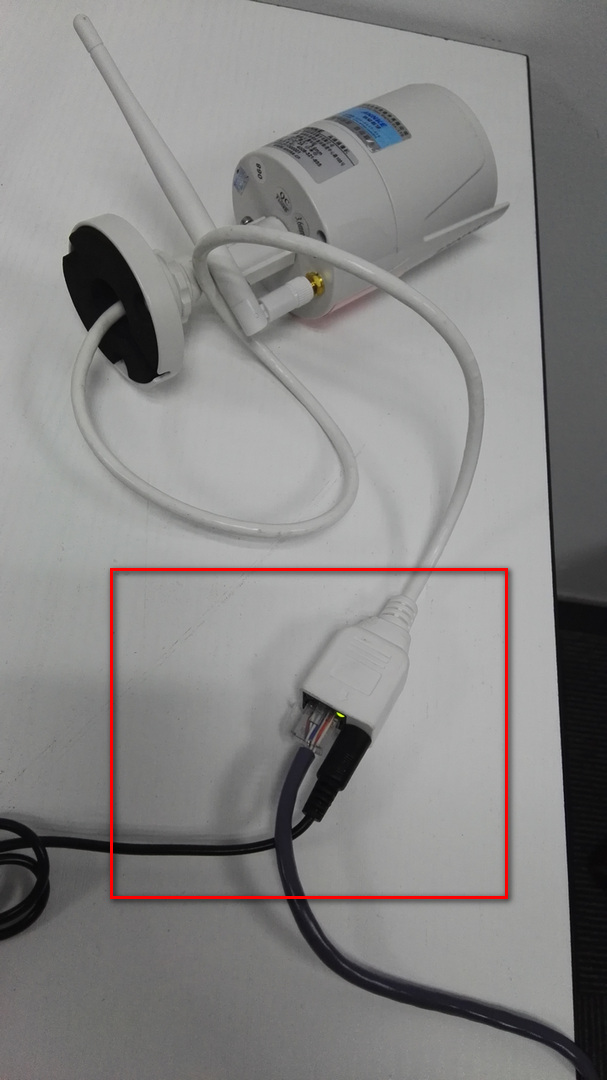
2. Install this software on the computer to search the camera’s IP and its firmware version.
http://support.annke.com/document/Computer%20Software/IPCamSuite-1.2.26.8.exe
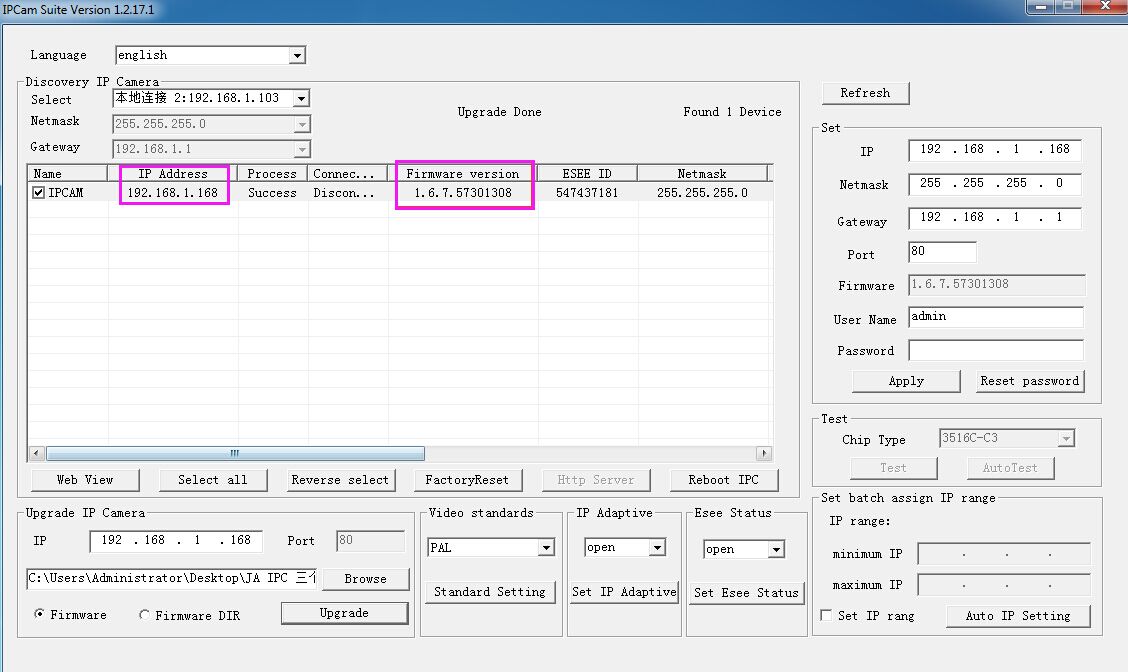
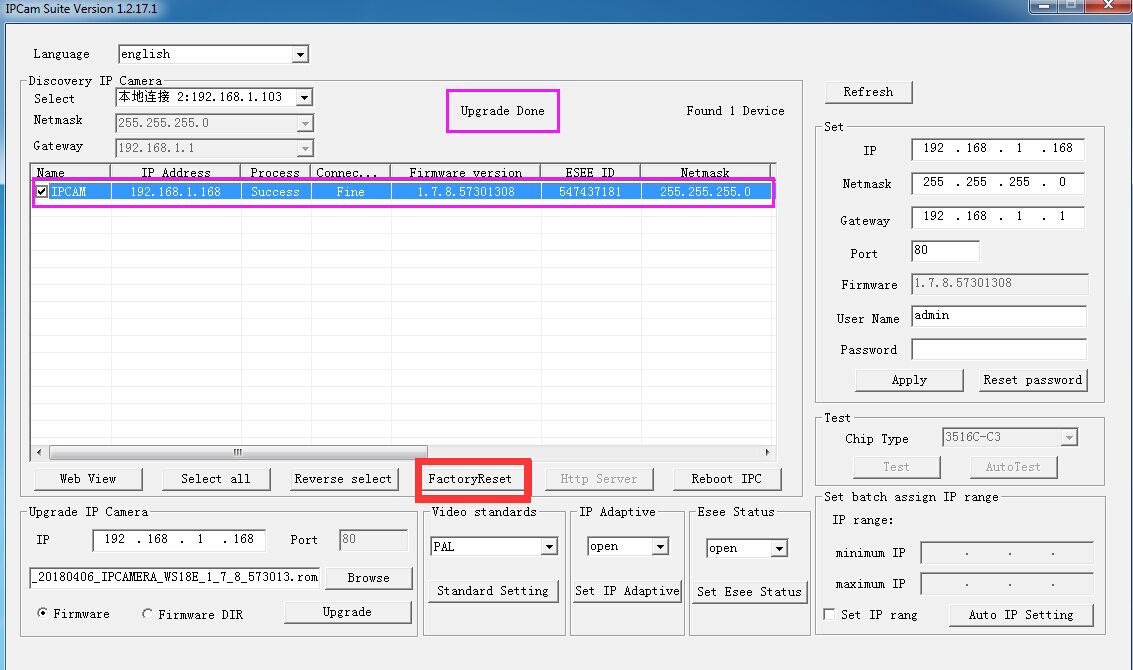
A. If the camera’s version is lower than 1.7.8, please upgrade it to 1.7.8 by the following steps. (It need to upgrade it into 1.7.7 at first, then after its version is 1.7.7, then upgrade it into 1.7.8) After upgrade, pls note to reset the camera to the factory setting.
The 1.7.7 firmware:
support.annke.com/document/JA/IPCfirmware/IPCHI18E_WIFI_20161221_IPCAMERA_WS18E_1_7_7_573013.rom
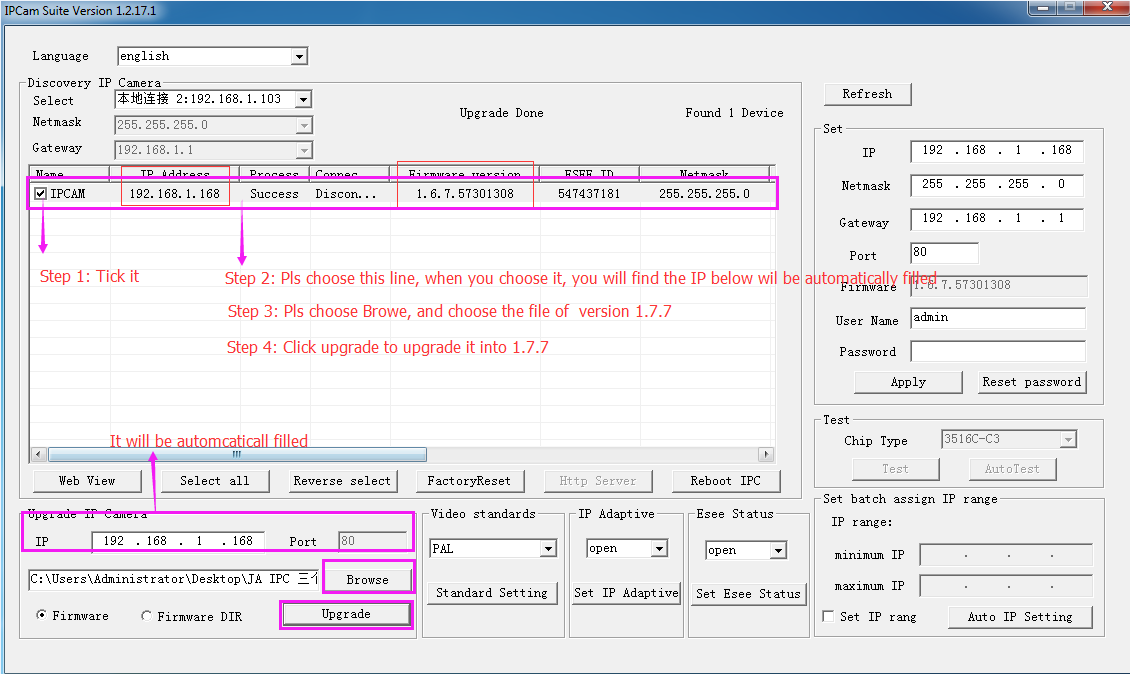
Then after its version been 1.7.7, please use the same method to upgrade it into 1.7.8
The 1.7.8 firmware:
support.annke.com/document/JA/IPCfirmware/IPCHI18E_WIFI_20180406_IPCAMERA_WS18E_1_7_8_573013.rom
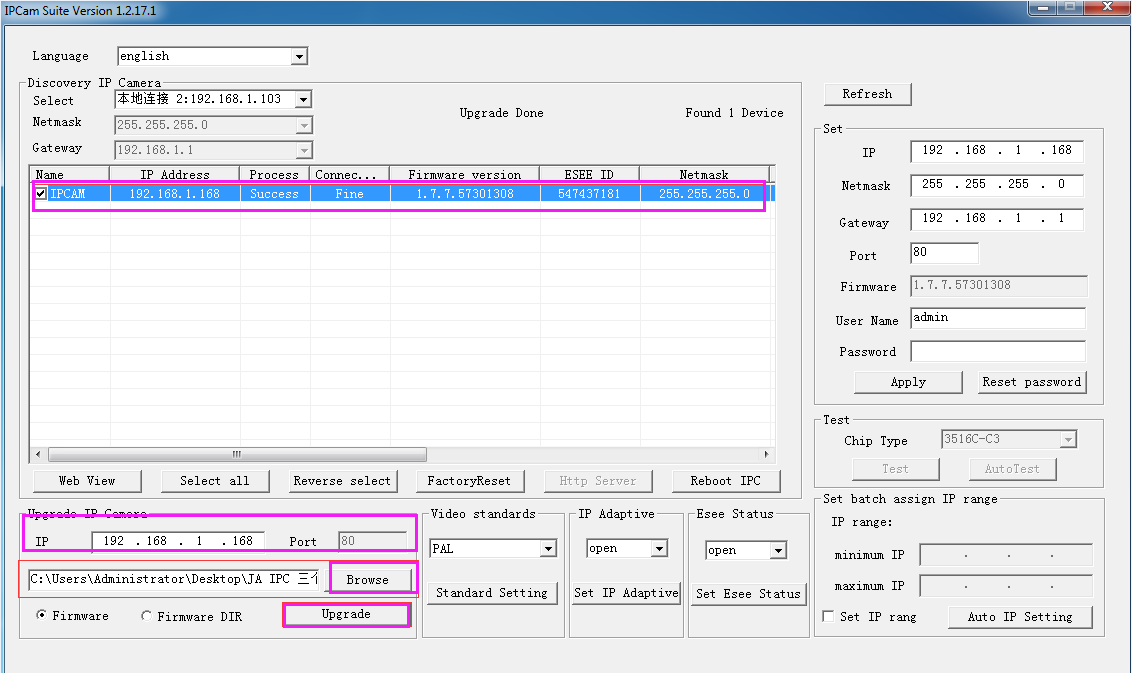
B. If the camera’s version is between 1.7.8 to 1.9.3 (not including 1.7.8), please upgrade it into 1.9.3 by the same method above. After upgrade, please note to reset the camera into the factory setting.
The 1.9.3 firmware:
support.annke.com/document/JA/IPCfirmware/IPCHI18Ev2_WIFI_20171011_IPCAMERA_N18EV2W_1_9_3_578010.rom
You can also upgrade it into a 2.3.1 version.
The 2.3.1 firmware:
support.annke.com/document/JA/IPCfirmware/IPCHI18Ev2_WIFI_20180606_IPCAMERA_N18EV2W_2_3_1_578010.rom
Reset the camera after upgraded.


I am having trouble with the installation
hi how can i do